How to Install Lotjitsu on iOS
Follow these simple steps to install the Lotjitsu web app onto your iPhone or iPad.
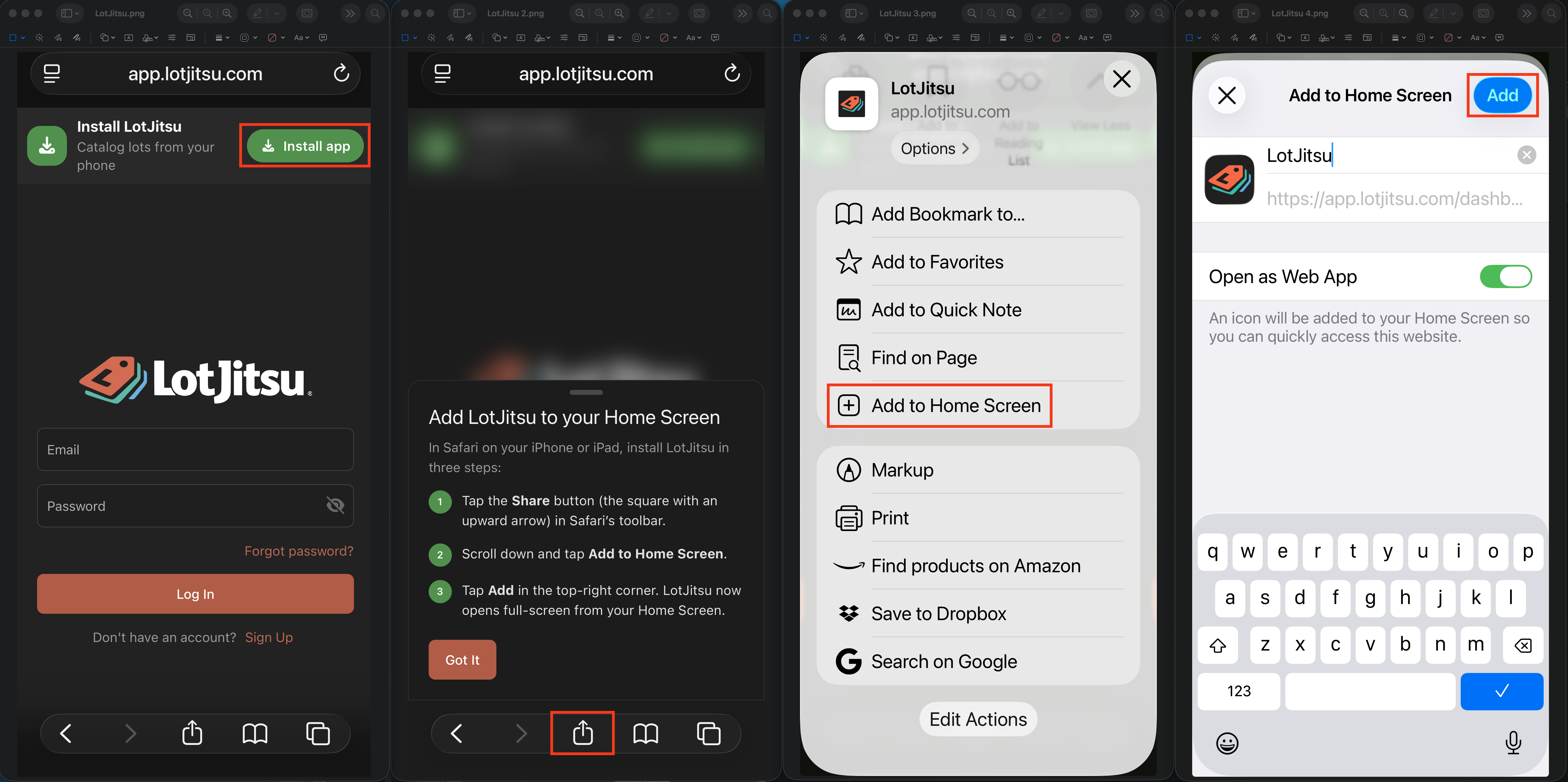
STEP 01
Open Safari
Launch the Safari browser on your iPhone or iPad and navigate to app.lotjitsu.com. (Safari is required on iOS).
STEP 02
Tap Share Icon
Tap the Share button at the bottom of the screen (the box icon with an arrow pointing upward).
STEP 03
Add to Home Screen
Scroll down through the share options and select "Add to Home Screen".
STEP 04
Confirm & Launch
Tap "Add" in the upper right corner. The Lotjitsu app icon will instantly appear on your home screen.